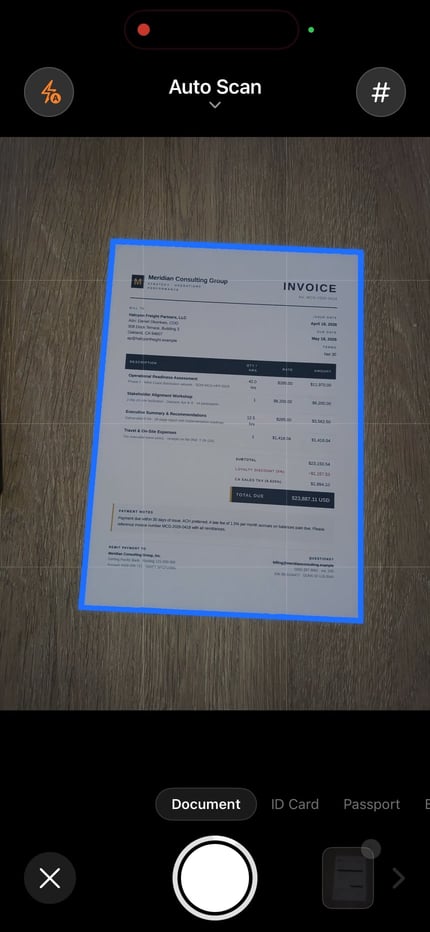
Capture or import the page
Fill the frame, keep the page sharp, and correct the edges before recognition.
Updated:
Turn scanned pages into text you can review and copy on iPhone. ScanLens recognizes the text on the device; use the result as editable text or export a PDF with a searchable text layer.

Free to download. Apple shows current trial eligibility and plan access before confirmation. See pricing details.
OCR (optical character recognition) reads the words in a page image and produces selectable text. A scan alone is a picture: recognition is the step that lets you copy its words or search them in a PDF.
Fill the frame, keep the page sharp, and correct the edges before recognition.
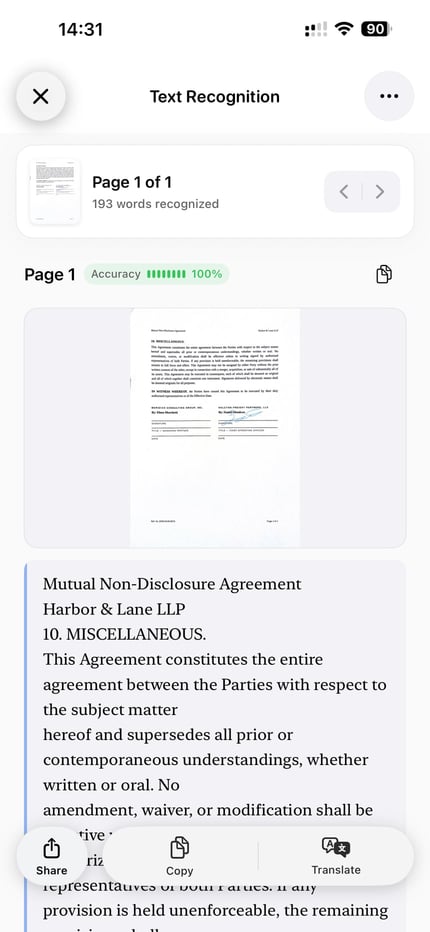
Compare important names, numbers, and dates with the original page and correct errors.
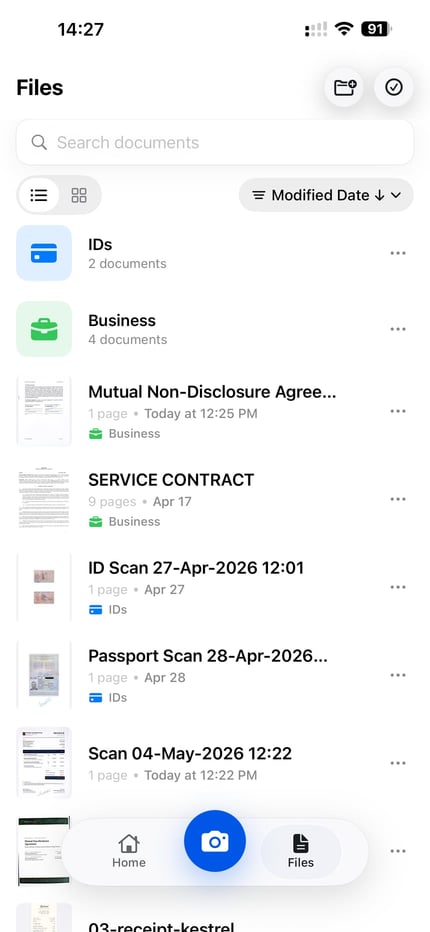
Copy, translate, export as TXT, or create a PDF with an embedded text layer.
Check names, dates, totals and reference numbers character by character. Blur, glare, small print and an incorrect source language can cause missing or wrong words. If the scan is unclear, fix the capture first: improve a scanned page.
For columns or tables, check the reading order as well as the words. OCR text may need line breaks, headings or table cells rebuilt in the destination editor. Recognition does not turn a photographed table into a verified spreadsheet.
Copy or TXT export gives you text to edit in Notes, Word or another editor. It does not recreate the original page layout as a Word file. A searchable PDF keeps the page image with a recognized text layer; test a distinctive word in the exported file.
For an existing photo or screenshot, follow photo-to-text instructions. For another language after recognition, see translating a scanned document.
ScanLens uses Apple Vision for OCR recognition on the iPhone, without uploading the page to ScanLens for recognition. Optional cloud export, backup and other online services use their own network connections. On-device OCR does not mean every app feature is offline.
If you only need a few words from a photo, Apple Live Text lets you select and copy them on a compatible iPhone. Use the ScanLens document workflow when you also need to capture pages, review OCR and export a searchable PDF.
Results vary by language, writing style and image quality. Test a representative page before processing a notebook, and compare important words with the original. See the handwriting-to-text guide.
The word may be absent or wrong in the recognized text layer, or you may have exported an image-only PDF. Check the OCR result and export option, then try selecting or searching text in the exported copy.
ScanLens OCR supports exactly 14 languages: English, Arabic, Dutch, French, German, Italian, Japanese, Korean, Polish, Portuguese, Russian, Simplified Chinese, Spanish, and Ukrainian. Select the source language that matches the page and review consequential output against the scan.
Partly, and the split is deliberate. Text recognition runs on your scans in the background and searching inside your documents is free — you can find a contract by a phrase printed on its third page without unlocking anything. What belongs to the paid feature set is the OCR screen itself: reading the recognized text, copying it, translating it, and exporting it as TXT. The pricing page lists the current plans. Either way this is an iPhone app rather than desktop software, and recognition runs on the device.
Scan or import a page, select one of 14 OCR languages, review the recognized text, and use the supported copy, edit, translate, export, or searchable PDF actions. See pricing and plans for access details.