Physical document signing has become the slow step in most business workflows. You get a contract by email, print it, sign it, scan it, email it back. Every step is friction. A good e-signature app collapses all of that into a few taps on your iPhone — and does it in a way that holds up legally in the vast majority of countries.
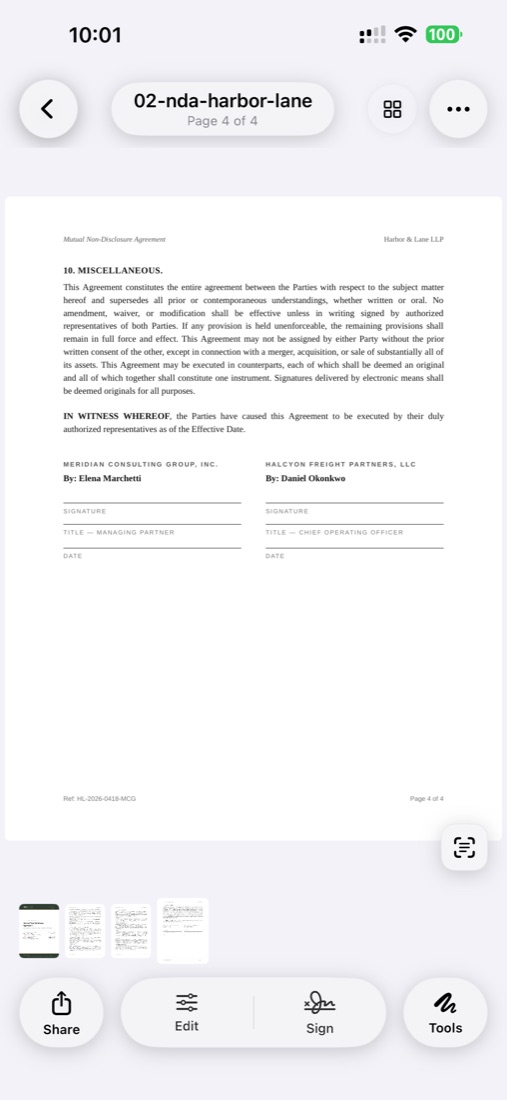
ScanLens includes a built-in e-signature tool designed for exactly that use case. You create a signature once by drawing it on the screen, save it, and place it on any PDF — whether you just scanned the document with your camera or received it by email. The signed PDF is ready to share, no printer required.
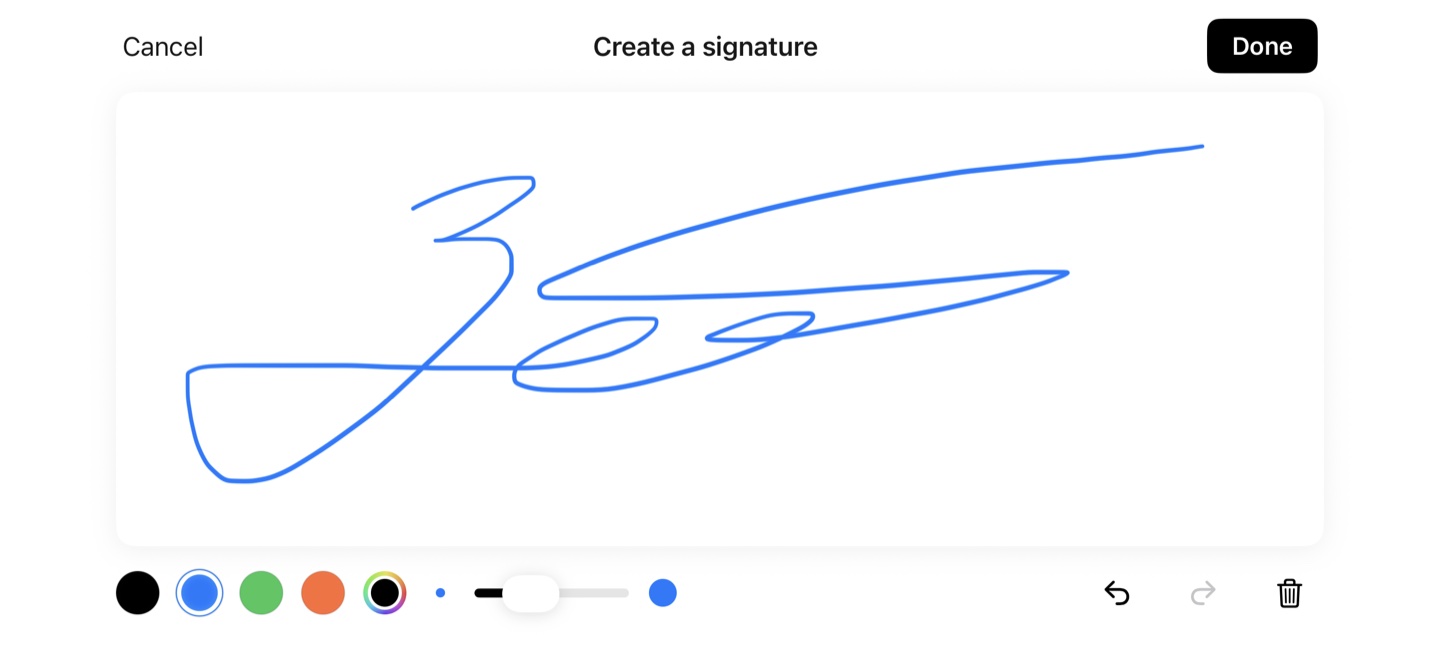
Open any PDF in ScanLens, tap the signature tool, and draw your signature with your finger or Apple Pencil. You can re-draw until you are happy with it. Clear background, adjustable stroke width. The signature is saved locally on your iPhone for reuse.
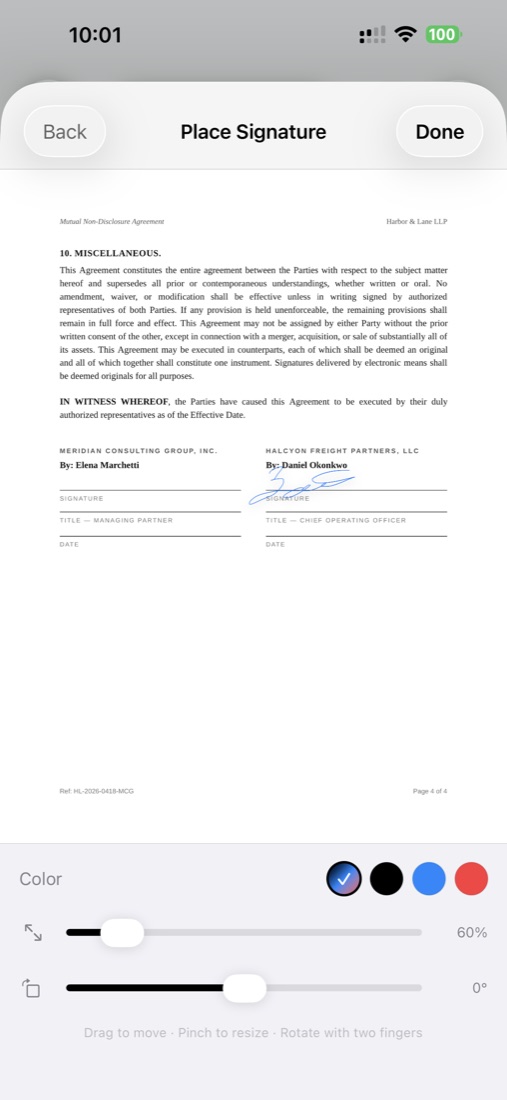
Drag your saved signature onto the PDF where you want it. Resize by dragging the corners. Move by dragging the center. You can place multiple signatures on the same document — useful for contracts that need signatures on multiple pages or from multiple parties who all use ScanLens.
Beyond the signature itself, you can add dates, initials, and text annotations to complete standard contract fields. All of these become part of the final PDF.
The signed PDF is saved locally. From there you can email it, AirDrop it, save to Files, or sync it to iCloud, Google Drive, Dropbox, or OneDrive. The recipient opens a standard signed PDF — no account needed, no special reader.
Most people actually need a few different signatures:
ScanLens lets you save each one separately. When you open the signature tool, you see your saved signatures as a list and tap to pick the right one. You can delete any signature when you no longer want it stored on your device.
In the US, EU, UK, Canada, Australia, and most other developed jurisdictions: yes, for most contracts. The legal basis differs by region but the bottom line is similar — electronic signatures are recognized as legally equivalent to handwritten signatures for routine business and personal transactions.
The Electronic Signatures in Global and National Commerce Act (ESIGN), passed by the US Congress in 2000, establishes that electronic signatures have the same legal weight as ink signatures for most transactions that affect interstate or foreign commerce. Most US states have also adopted the Uniform Electronic Transactions Act (UETA), which provides similar recognition at the state level.
What this means in practice: for most business contracts, NDAs, sales agreements, service contracts, and consumer transactions, an e-signature is legally enforceable. The main exceptions are wills and testamentary trusts, certain family law documents (adoption, divorce in some states), court orders, some notice requirements, and specific documents that require notarization.
The eIDAS Regulation (Regulation EU 910/2014) creates a unified legal framework for electronic signatures across the European Union. It defines three tiers:
For the large majority of business and personal contracts, a Simple Electronic Signature is legally sufficient under eIDAS. If you specifically need AES or QES (for certain regulated industries or particular government submissions), you would use a dedicated platform designed for that purpose.
Even in jurisdictions that broadly recognize e-signatures, some document types traditionally still require physical signatures or notarization:
We are not lawyers and nothing on this page is legal advice. For documents where legal enforceability matters, consult a qualified attorney in your jurisdiction.
Some common document types that work well with the e-signature tool:
Signatures are personal. We treat them that way.
Your saved signatures live on your iPhone in the app's secure storage. They are not uploaded to a ScanLens server and are not visible to us. Signature data is included in the app's backup to your own iCloud if you have iCloud Backup enabled — that is your backup, not ours.
When you place a signature on a PDF, the rendering happens locally. The signed PDF is produced on your iPhone. You choose where it goes next — keeping it on your device, sharing it over AirDrop, emailing it, or syncing it to a cloud service you control.
You can enable Face ID, Touch ID, or a passcode lock on the entire ScanLens app. This prevents someone who picks up your unlocked phone from opening ScanLens, accessing your saved signatures, or viewing signed documents.
For extra sensitive signed documents, you can apply AES-256 password protection to the PDF after signing. The recipient needs the password to open the document. See the password-protect PDF feature for details.
For most common business transactions, yes. The ESIGN Act (US federal, 2000), UETA (adopted by most US states), and eIDAS Regulation (EU, 2014) all recognize electronic signatures as legally equivalent to handwritten signatures for most contracts. Exceptions exist in all jurisdictions — for example, wills, certain family law documents, and some court filings typically still require wet ink signatures. For routine business agreements — contracts, NDAs, rental agreements, purchase orders, HR forms — an e-signature drawn in ScanLens is typically enforceable. We are not lawyers. When in doubt, consult one.
ScanLens produces simple electronic signatures (SES) under eIDAS — the most common type and the one used in the vast majority of day-to-day business transactions in the EU. For advanced electronic signatures (AES) or qualified electronic signatures (QES), which require additional cryptographic features and, for QES, a qualified trust service provider, you would need a specialized e-signature platform. For contracts that don't require AES/QES by law, a simple electronic signature is legally valid under eIDAS.
Yes. You can create multiple signatures — for example, a full-name signature for contracts, initials for initialing pages, and a more casual signature for informal documents. Each is saved on-device and can be reused on any PDF. You can also delete signatures when you no longer need them.
Your saved signatures are stored locally on your iPhone in the app's secure storage. They are not uploaded to any cloud server by ScanLens and are not visible to us. If you enable iCloud sync for ScanLens documents, your signatures may sync across your own Apple devices through iCloud — that data stays within your iCloud account.
E-signature functionality is a Premium feature in ScanLens. You can try it free with the 7-day Premium trial on monthly or yearly plans, or purchase Lifetime for a one-time $79.99. The free tier allows scanning and PDF export but does not include e-signature placement.
Simple electronic signatures like those produced by ScanLens are visual signatures placed on the PDF. The recipient sees the signed document and can accept it as they would a faxed or photocopied signed document. If you need cryptographic verification — where the signature is tied to a verified identity and tampering with the document invalidates the signature — you should use an Advanced Electronic Signature service. For the vast majority of signed documents people sign every day, visual signatures are legally sufficient and commonly accepted.
Free to download. Premium unlocks e-signatures with a 7-day free trial or $79.99 lifetime.